Introduction
This post belongs to a series, you can find other parts here
The source code will be available on github.com/cedmundo/slang-sdl3-example, feel free to fork it and use it as you find suitable in your projects.
Textures and samplers
So far we got the basics working, now we want to bind texture data, however we need UVs in order to sample properly the textures. So, lets add a new attribute for our single quad.
In quad.c:
static const float v_uvs_buffer[][2] = {
    {0.0, 0.0},
    {0.0, 1.0},
    {1.0, 0.0},
    {1.0, 1.0},
};

// ...
// Also, update those:
#define QUAD_BUFFER_SIZE                                                       \
  (sizeof(v_pos_buffer) + sizeof(v_col_buffer) + sizeof(v_uvs_buffer) +        \
   sizeof(quad_indices))

#define V_POS_BINDING_IDX (0)
#define V_COL_BINDING_IDX (1)
#define V_UVS_BINDING_IDX (2)
#define INDICES_BINDING_IDX (3)
Now, for the creation, lets update the layout:
  // First part of buffer is positions:
  quad->buffer_bindings[V_POS_BINDING_IDX] = (SDL_GPUBufferBinding){
      .buffer = quad->buffer,
      .offset = 0,
  };

  // Second part of buffer is colors:
  quad->buffer_bindings[V_COL_BINDING_IDX] = (SDL_GPUBufferBinding){
      .buffer = quad->buffer,
      .offset = sizeof(v_pos_buffer),
  };

  // Third part of buffer is uvs:
  quad->buffer_bindings[V_UVS_BINDING_IDX] = (SDL_GPUBufferBinding){
      .buffer = quad->buffer,
      .offset = sizeof(v_pos_buffer) + sizeof(v_col_buffer),
  };

  // Foruth part of buffer are indices:
  quad->buffer_bindings[INDICES_BINDING_IDX] = (SDL_GPUBufferBinding){
      .buffer = quad->buffer,
      .offset =
          sizeof(v_pos_buffer) + sizeof(v_col_buffer) + sizeof(v_uvs_buffer),
  };
We also have to update this two functions to account for the new attribute:
void UploadSingleQuad(SingleQuad *quad, SDL_GPUDevice *device,
                      SDL_GPUCopyPass *copy_pass) {
  if (quad->uploaded) {
    return;
  }

  void *gpu_staging =
      SDL_MapGPUTransferBuffer(device, quad->transfer_buffer, false);
  {
    SDL_memset(gpu_staging, 0, QUAD_BUFFER_SIZE);

    // buffer + 0: positions
    SDL_memcpy(gpu_staging, v_pos_buffer, sizeof(v_pos_buffer));

    // buffer + v_pos: colors
    SDL_memcpy(gpu_staging + sizeof(v_pos_buffer), v_col_buffer,
               sizeof(v_col_buffer));

    // buffer + v_pos + v_col: v_uvs
    SDL_memcpy(gpu_staging + sizeof(v_pos_buffer) + sizeof(v_col_buffer),
               v_uvs_buffer, sizeof(v_uvs_buffer));

    // buffer + v_pos + v_col + v_uvs: indices
    SDL_memcpy(gpu_staging + sizeof(v_pos_buffer) + sizeof(v_col_buffer) +
                   sizeof(v_uvs_buffer),
               quad_indices, sizeof(quad_indices));

    SDL_GPUTransferBufferLocation src = {
        .transfer_buffer = quad->transfer_buffer,
        .offset = 0,
    };

    SDL_GPUBufferRegion dst = {
        .buffer = quad->buffer,
        .offset = 0,
        .size = QUAD_BUFFER_SIZE,
    };

    SDL_UploadToGPUBuffer(copy_pass, &src, &dst, false);
  }
  SDL_UnmapGPUTransferBuffer(device, quad->transfer_buffer);
  quad->uploaded = true;
}

void UpdateSingleQuad(SingleQuad *quad) {
  quad->frag_uniforms.time = (float)SDL_GetTicks() / 1000.0;
}

void RenderSingleQuad(SingleQuad *quad, SDL_GPUCommandBuffer *cmdbuf,
                      SDL_GPURenderPass *render_pass) {
  SDL_BindGPUVertexBuffers(render_pass, 0, quad->buffer_bindings, 3); // important to update this from 2 -> 3
  SDL_BindGPUIndexBuffer(render_pass,
                         &quad->buffer_bindings[INDICES_BINDING_IDX],
                         SDL_GPU_INDEXELEMENTSIZE_32BIT);
  SDL_PushGPUFragmentUniformData(cmdbuf, 0, &quad->frag_uniforms,
                                 sizeof(QuadFUniformData));
  SDL_DrawGPUIndexedPrimitives(render_pass, quad->indices_count, 1, 0, 0, 1);
}
Also, don’t forget to update the quad.h:
typedef struct {
  SDL_GPUBuffer *buffer;
  SDL_GPUTransferBuffer *transfer_buffer;
  SDL_GPUBufferBinding buffer_bindings[4]; // <- important update 3 -> 4
  Uint32 indices_count;
  QuadFUniformData frag_uniforms;
  bool uploaded;
} SingleQuad;
In shader.c we also need to update the pipeline layout:
  // ...
  SDL_GPUGraphicsPipelineCreateInfo pipeline_create_info = {0};
  pipeline_create_info.target_info = color_target_info;
  pipeline_create_info.fragment_shader = frag_shader;
  pipeline_create_info.vertex_shader = vert_shader;
  pipeline_create_info.primitive_type = SDL_GPU_PRIMITIVETYPE_TRIANGLELIST;
  pipeline_create_info.vertex_input_state = (SDL_GPUVertexInputState){
      .num_vertex_attributes = 3,
      .vertex_attributes =
          (SDL_GPUVertexAttribute[]){
              {.buffer_slot = 0,
               .format = SDL_GPU_VERTEXELEMENTFORMAT_FLOAT3,
               .location = 0,
               .offset = 0},
              {.buffer_slot = 1,
               .format = SDL_GPU_VERTEXELEMENTFORMAT_FLOAT3,
               .location = 1,
               .offset = 0},
              {.buffer_slot = 2,
               .format = SDL_GPU_VERTEXELEMENTFORMAT_FLOAT2,
               .location = 2,
               .offset = 0}, // A third buffer
          },
      .num_vertex_buffers = 3,
      .vertex_buffer_descriptions =
          (SDL_GPUVertexBufferDescription[]){
              {.slot = 0,
               .input_rate = SDL_GPU_VERTEXINPUTRATE_VERTEX,
               .instance_step_rate = 0,
               .pitch = sizeof(float) * 3},
              {.slot = 1,
               .input_rate = SDL_GPU_VERTEXINPUTRATE_VERTEX,
               .instance_step_rate = 0,
               .pitch = sizeof(float) * 3},
              {.slot = 2,
               .input_rate = SDL_GPU_VERTEXINPUTRATE_VERTEX,
               .instance_step_rate = 0,
               .pitch = sizeof(float) * 2}, // NOTE: this must be 2 since its UV
          },
  };
  pipeline = SDL_CreateGPUGraphicsPipeline(device, &pipeline_create_info);
  // ...
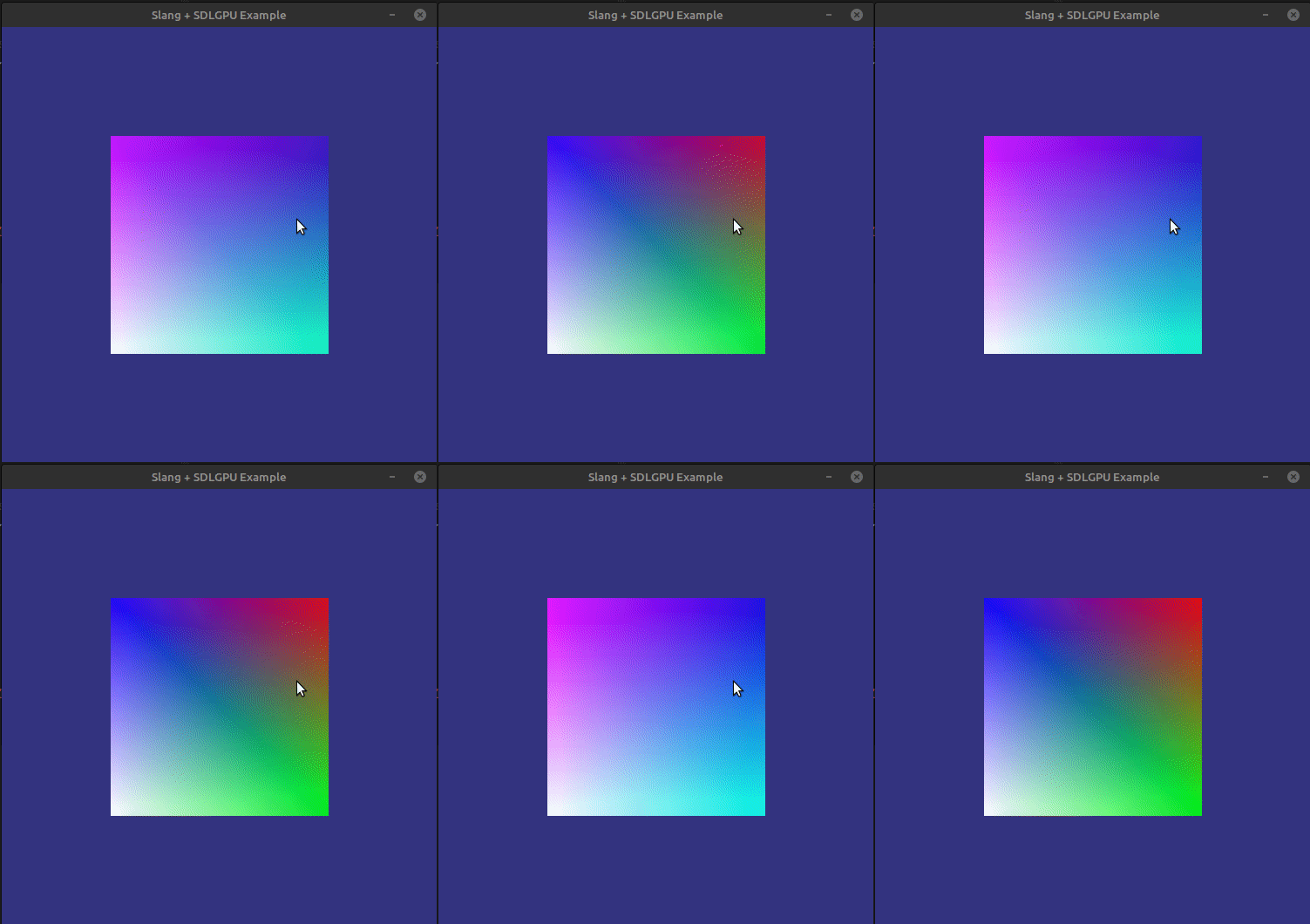
Then we can actually use the UVs in the shaders, we will be rendering their value first before we do anything else.
For the vertex shader, we must accept the new attribute and passit to the fragment shader:
struct VSInput {
  float3 position : POSITION;
  float3 color : COLOR;
  float2 uvs : TEXCOORD0; // new attribute
};

struct VSOutput {
  float4 position : SV_Position;
  float3 color;
  float2 uvs;
};

[shader("vertex")]
VSOutput main(VSInput input) {
  VSOutput output;
  output.position = float4(input.position, 1.0f);
  output.color = input.color;
  output.uvs = input.uvs;
  return output;
}
Finally, we can use the color in the fragment shader:
struct UniformData {
  float time;
};

struct PSInput {
  float4 position : SV_Position;
  float3 color;
  float2 uvs;
};

struct PSOutput {
  float4 color : SV_Target;
};

// https://wiki.libsdl.org/SDL3/SDL_CreateGPUShader#remarks
layout(set = 3, binding = 0) ParameterBlock<UniformData> uniforms;

[shader("pixel")]
PSOutput main(PSInput input) {
  PSOutput output;
  float factor = (sin(uniforms.time) + 1) / 2;
  float3 uv_color = float3(input.uvs.xy, 1.0);
  float3 va_color = input.color;
  output.color = float4(lerp(uv_color, va_color, factor), 1.0);
  return output;
}
After we compile our shaders and our program, the result should look like this:
Loading textures
Good, now that we got UVs working, we need to load images into the GPU, for this
propose we will use SDL_image which can be found here.
With SDL_image we can directly push the content from an image in disc to the
GPU by executing IMG_LoadGPUTexture() in a CopyPass, however for this example
we will be getting the data and pushing it manually, since the reader may load
the texture differently. The important part is to get the pixel data with its
format.
Let’s update the CMakeLists.txt file to add this dependency, we can use FetchContent
to pull the source code and build it in our project, however you can get the library
and link it as you find best.
# CMake options
set(CMAKE_C_STANDARD 11)
set(CMAKE_EXPORT_COMPILE_COMMANDS ON)
include(FetchContent)

# Vendored dependencies
find_package(SDL3 REQUIRED CONFIG REQUIRED COMPONENTS SDL3)
FetchContent_Declare(
  SDL3_image
  GIT_REPOSITORY "https://github.com/libsdl-org/SDL_image.git"
  GIT_TAG "release-3.4.4"
)
FetchContent_MakeAvailable(SDL3_image)

# ...
target_link_libraries(slang-sdl3-example PRIVATE SDL3 SDL3_image-shared) # SDL3_image-shared works for me
If everything compiles, then we can continue by adding a texture module, the header goes something like this:
#ifndef TEXTURE_H
#define TEXTURE_H

#include <SDL3/SDL_gpu.h>
#include <SDL3/SDL_stdinc.h>

typedef struct {
  SDL_Surface *surface;
  size_t surface_pixels_size;
  SDL_GPUTexture *texture;
  SDL_GPUSampler *sampler;
  SDL_GPUTextureSamplerBinding sampler_binding;
} Texture;

Texture *CreateTextureFromImage(const char *image, SDL_GPUDevice *device);
void DestroyTexture(Texture *texture, SDL_GPUDevice *device);

void UploadTexture(Texture *texture, SDL_GPUDevice *device,
                   SDL_GPUCopyPass *copy_pass);
#endif /* TEXTURE_H */
Here we can see that we will be using a SDL3 Surface and we will be binding two resources: a texture and a sampler. It is possible to pass the texture without a sampler but I’ve found that its a littele bit easier to pass it like this.
Now, in texture.c:
#include "texture.h"

#include <SDL3/SDL_assert.h>
#include <SDL3/SDL_error.h>
#include <SDL3/SDL_gpu.h>
#include <SDL3/SDL_pixels.h>
#include <SDL3/SDL_stdinc.h>
#include <SDL3/SDL_surface.h>

#include <SDL3_image/SDL_image.h>

Texture* CreateTextureFromImage(const char* image, SDL_GPUDevice* device) {
  Texture* texture = SDL_malloc(sizeof(Texture));
  if (texture == NULL) {
    SDL_OutOfMemory();
    return NULL;
  }

  char image_path[255] = {0};
  SDL_strlcat(image_path, SDL_GetBasePath(), 255);
  SDL_strlcat(image_path, image, 255);

  SDL_Surface* original = IMG_Load(image_path);
  if (original == NULL) {
    DestroyTexture(texture, device);
    return NULL;
  }

  texture->surface = SDL_ConvertSurface(original, SDL_PIXELFORMAT_RGBA32);
  SDL_DestroySurface(original);

  if (texture->surface == NULL) {
    DestroyTexture(texture, device);
    return NULL;
  }
  texture->surface_pixels_size = texture->surface->pitch * texture->surface->h;

  SDL_GPUTextureCreateInfo texture_create_info = {0};
  texture_create_info.format = SDL_GPU_TEXTUREFORMAT_R8G8B8A8_UNORM;
  texture_create_info.width = texture->surface->w;
  texture_create_info.height = texture->surface->h;
  texture_create_info.num_levels = 1;
  texture_create_info.layer_count_or_depth = 1;
  texture_create_info.type = SDL_GPU_TEXTURETYPE_2D;
  texture_create_info.usage = SDL_GPU_TEXTUREUSAGE_SAMPLER;
  texture->texture = SDL_CreateGPUTexture(device, &texture_create_info);

  SDL_GPUSamplerCreateInfo sampler_create_info = {0};
  sampler_create_info.min_lod = 0;
  sampler_create_info.max_lod = 1;
  texture->sampler = SDL_CreateGPUSampler(device, &sampler_create_info);

  texture->sampler_binding = (SDL_GPUTextureSamplerBinding){
      .sampler = texture->sampler,
      .texture = texture->texture,
  };
  return texture;
}

void DestroyTexture(Texture* texture, SDL_GPUDevice* device) {
  if (texture == NULL) {
    return;
  }

  if (texture->surface != NULL) {
    SDL_DestroySurface(texture->surface);
  }

  if (texture->texture != NULL) {
    SDL_ReleaseGPUTexture(device, texture->texture);
  }

  if (texture->sampler != NULL) {
    SDL_ReleaseGPUSampler(device, texture->sampler);
  }

  SDL_free(texture);
}

void UploadTexture(Texture* texture, SDL_GPUDevice* device, SDL_GPUCopyPass* copy_pass) {
  SDL_GPUTransferBufferCreateInfo transfer_buffer_create_info = {0};
  transfer_buffer_create_info.size = texture->surface_pixels_size;
  transfer_buffer_create_info.usage = SDL_GPU_TRANSFERBUFFERUSAGE_UPLOAD;
  SDL_GPUTransferBuffer* transfer_buffer =
      SDL_CreateGPUTransferBuffer(device, &transfer_buffer_create_info);

  void* gpu_staging = SDL_MapGPUTransferBuffer(device, transfer_buffer, false);
  { SDL_memcpy(gpu_staging, texture->surface->pixels, texture->surface_pixels_size); }
  SDL_UnmapGPUTransferBuffer(device, transfer_buffer);

  SDL_GPUTextureTransferInfo src = {0};
  src.transfer_buffer = transfer_buffer;
  src.pixels_per_row = texture->surface->pitch / 4;
  src.rows_per_layer = texture->surface->h;

  SDL_GPUTextureRegion dst = {0};
  dst.texture = texture->texture;
  dst.h = texture->surface->h;
  dst.w = texture->surface->w;
  dst.d = 1;
  SDL_UploadToGPUTexture(copy_pass, &src, &dst, false);
  SDL_ReleaseGPUTransferBuffer(device, transfer_buffer);
}
We are keeping the same as mesh, we’ll upload the texture once, however if you desire to upload it each frame then it should be possible with the code as is. Except that you’ll need to add a copy pass in the iteration function.
Also, we have to update main.c, quad.h and quad.c to add the texture:
In quad.h we add the texture to the single quad struct:
typedef struct {
  SDL_GPUBuffer *buffer;
  SDL_GPUTransferBuffer *transfer_buffer;
  SDL_GPUBufferBinding buffer_bindings[4];
  Uint32 indices_count;
  QuadFUniformData frag_uniforms;
  Texture *texture;
  bool uploaded;
} SingleQuad;
In quad.c we initialize the texture and we bind its values when rendering the quad:
SingleQuad* CreateSingleQuad(SDL_GPUDevice* device) {
  // ...

  quad->texture = CreateTextureFromImage("quad.png", device);
  if (quad->texture == NULL) {
    DestroySingleQuad(quad, device);
    return NULL;
  }

  quad->indices_count = V_INDEX_COUNT;
  quad->uploaded = false;
  return quad;
}

void DestroySingleQuad(SingleQuad* quad, SDL_GPUDevice* device) {
  if (quad == NULL) {
    return;
  }

  if (quad->buffer != NULL) {
    SDL_ReleaseGPUBuffer(device, quad->buffer);
  }

  if (quad->transfer_buffer != NULL) {
    SDL_ReleaseGPUTransferBuffer(device, quad->transfer_buffer);
  }

  if (quad->texture != NULL) {
    DestroyTexture(quad->texture, device);
  }

  SDL_free(quad);
}
For upload quad we append the UploadTexture call, still we have to fix other
issue here with the Map/Unmap functions, it is needed to unmap the buffer before
uploading:
void UploadSingleQuad(SingleQuad* quad, SDL_GPUDevice* device, SDL_GPUCopyPass* copy_pass) {
  if (quad->uploaded) {
    return;
  }

  void* gpu_staging = SDL_MapGPUTransferBuffer(device, quad->transfer_buffer, false);
  {
    SDL_memset(gpu_staging, 0, QUAD_BUFFER_SIZE);

    // buffer + 0: positions
    SDL_memcpy(gpu_staging, v_pos_buffer, sizeof(v_pos_buffer));

    // buffer + v_pos: colors
    SDL_memcpy(gpu_staging + sizeof(v_pos_buffer), v_col_buffer, sizeof(v_col_buffer));

    // buffer + v_pos + v_col: v_uvs
    SDL_memcpy(gpu_staging + sizeof(v_pos_buffer) + sizeof(v_col_buffer), v_uvs_buffer,
               sizeof(v_uvs_buffer));

    // buffer + v_pos + v_col + v_uvs: indices
    SDL_memcpy(gpu_staging + sizeof(v_pos_buffer) + sizeof(v_col_buffer) + sizeof(v_uvs_buffer),
               quad_indices, sizeof(quad_indices));
  }
  SDL_UnmapGPUTransferBuffer(device, quad->transfer_buffer);

  SDL_GPUTransferBufferLocation src = {
      .transfer_buffer = quad->transfer_buffer,
      .offset = 0,
  };

  SDL_GPUBufferRegion dst = {
      .buffer = quad->buffer,
      .offset = 0,
      .size = QUAD_BUFFER_SIZE,
  };

  SDL_UploadToGPUBuffer(copy_pass, &src, &dst, false);

  // upload the texture
  UploadTexture(quad->texture, device, copy_pass);
  quad->uploaded = true;
}
Finally, for the render function we bind the sampler binding:
void RenderSingleQuad(SingleQuad* quad,
                      SDL_GPUCommandBuffer* cmdbuf,
                      SDL_GPURenderPass* render_pass) {
  SDL_BindGPUVertexBuffers(render_pass, 0, quad->buffer_bindings, 3);
  SDL_BindGPUIndexBuffer(render_pass, &quad->buffer_bindings[INDICES_BINDING_IDX],
                         SDL_GPU_INDEXELEMENTSIZE_32BIT);
  SDL_PushGPUFragmentUniformData(cmdbuf, 0, &quad->frag_uniforms, sizeof(QuadFUniformData));
  SDL_BindGPUFragmentSamplers(render_pass, 0, &quad->texture->sampler_binding, 1);
  SDL_DrawGPUIndexedPrimitives(render_pass, quad->indices_count, 1, 0, 0, 1);
}
Also, add to CMakeLists.txt the newly created module:
target_sources(slang-sdl3-example PRIVATE shader.c quad.c texture.c main.c) # HERE: Add texture.c
Try compiling it and see if anything breaks, however we won’t be able to run it just yet becase we need to update the fragment shader:
struct UniformData {
  float time;
};

struct PSInput {
  float4 position : SV_Position;
  float3 color;
  float2 uvs;
};

struct PSOutput {
  float4 color : SV_Target;
};

struct TextureData {
  Sampler2D tex0;
}

// https://wiki.libsdl.org/SDL3/SDL_CreateGPUShader#remarks
layout(set = 2, binding = 0) ConstantBuffer<TextureData> samplers;
layout(set = 3, binding = 0) ParameterBlock<UniformData> uniforms;

[shader("pixel")]
PSOutput main(PSInput input) {
  PSOutput output;
  float factor = (sin(uniforms.time) + 1) / 2;
  float3 uv_color = samplers.tex0.Sample(input.uvs).xyz;
  float3 va_color = input.color;
  output.color = float4(lerp(uv_color, va_color, factor), 1.0);
  return output;
}
Here we are adding the samplers constant buffer, it contains a reference to Sampler2D which will help us get the texture data using our UV coordinates. However, note the layout directives, they are really important since SDL will pass the bindings right into those spaces.
Now, we just need a nice image, I’ll be using the following image:
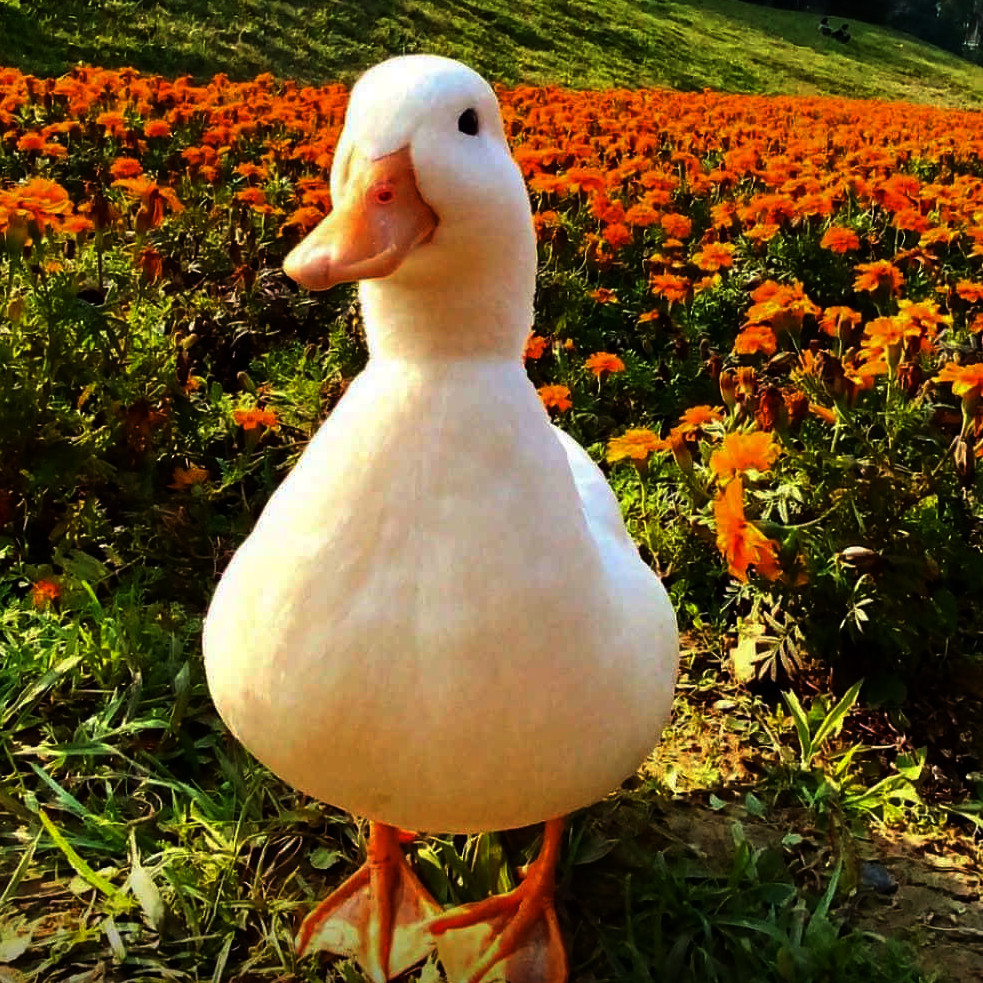
You can use any image you want but I will recommend to use a PNG with RGBA32 as format, also, consider using a square texture.
IMPORTANT: This image must be copied into your build directory or wherever the executable is running from,
same as shaders, the texture.c will lookup on the base directory of the application.
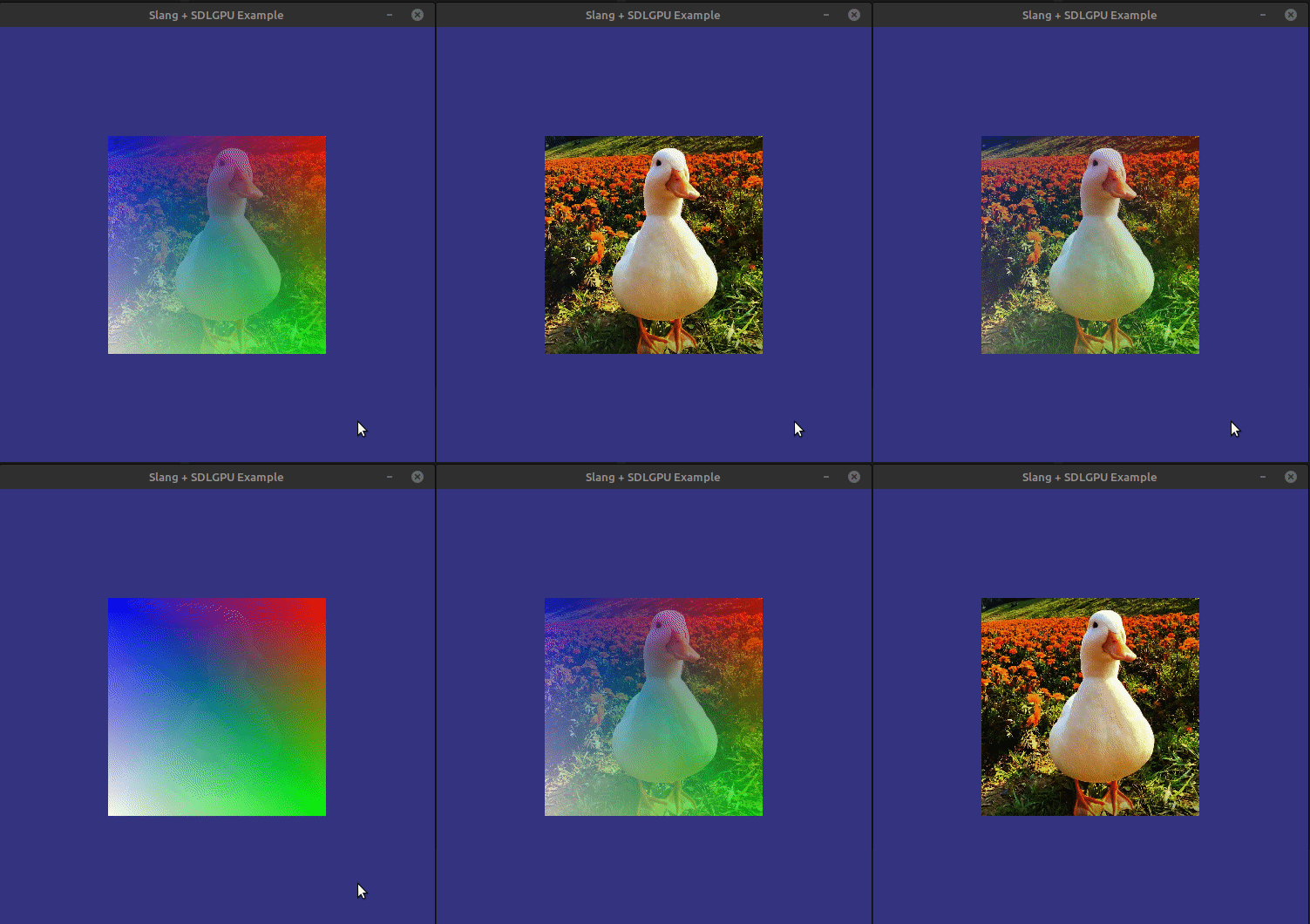
If you compile everything (including shaders) and run it without any issues, then you should see something like this:
Next steps
Now you can pass samplers into your slang programs!. Next part can be read here.