Introduction
This post belongs to a series, you can find other parts here
The source code will be available on github.com/cedmundo/slang-sdl3-example, feel free to fork it and use it as you find suitable in your projects.
Uniforms
This was one of the trickiest thing that I encountered using slang with SDLGPU, but its quite easy to pass uniform data once you understand the data layout.
Let’s add the uniform buffer in the shader source assets/shaders/flat-color.fs.slang:
struct UniformData {
  float4 from_color;
  float4 to_color;
  float time;
};

struct PSInput {
  float4 position : SV_Position;
};

struct PSOutput {
  float4 color : SV_Target;
};

// https://wiki.libsdl.org/SDL3/SDL_CreateGPUShader#remarks
layout(set = 3, binding = 0) ParameterBlock<UniformData> uniforms;

[shader("pixel")]
PSOutput main(PSInput input) {
  PSOutput output;
  float factor = (sin(uniforms.time) + 1) / 2;
  output.color = lerp(uniforms.from_color, uniforms.to_color, factor);
  return output;
}
Be careful with the field order in UniformData (in any buffer as matter of fact) because we need to map it 1:1 in C. Also everything must be aligned to 4.
Let’s also add the same data with the same layout in C:
typedef struct {
  SDL_FColor from_color; // Already aligned to 4
  SDL_FColor to_color;
  float time;
} FragUniformData;
Now, we need to update our SDL_AppInit function, this step is important since
we need to build the pipeline with the uniform buffer attached to the fragment
shader:
  // ...
  ShaderOptions frag_shader_opts = {0};
  frag_shader_opts.filename = "flat-color.fs.spirv";
  frag_shader_opts.stage = SDL_GPU_SHADERSTAGE_FRAGMENT;
  frag_shader_opts.uniform_buffer_count = 1; // <- ADD THIS
  // ...
Finally, at render iteration, we can update the code as follows:
  // ...

      // This will render the quad on screen
      FragUniformData fs_uniforms = {0};
      fs_uniforms.time = (float)SDL_GetTicks() / 1000.0f; // seconds
      fs_uniforms.from_color = (SDL_FColor){0.0f, 0.0f, 0.0f, 1.0f};
      fs_uniforms.to_color = (SDL_FColor){1.0f, 0.5f, 0.5f, 1.0f};

      SDL_BindGPUGraphicsPipeline(render_pass, app->flat_color_pipeline);
      SDL_PushGPUFragmentUniformData(cmdbuf, 0, &fs_uniforms,
                                     sizeof(FragUniformData));
      SDL_DrawGPUPrimitives(render_pass, 6, 1, 0, 0);

  // ...
IMPORTANT: Re-compile the shader code:
$ slangc assets/shaders/flat-color.fs.slang -o cmake-build-debug/flat-color.fs.spirv -entry main -target spirv
Then build and run the application again:
$ cmake -B cmake-build-debug -S . && cmake --build cmake-build-debug && ./cmake-build-debug/slang-sdl3-example
-- Configuring done
-- Generating done
-- Build files have been written to: /home/carlos/Projects/Misc/slang-sdl3-example/cmake-build-debug
Consolidate compiler generated dependencies of target slang-sdl3-example
[100%] Built target slang-sdl3-example
If everything is good, we should be able to see a rectangle that varies its color from red to black by time:
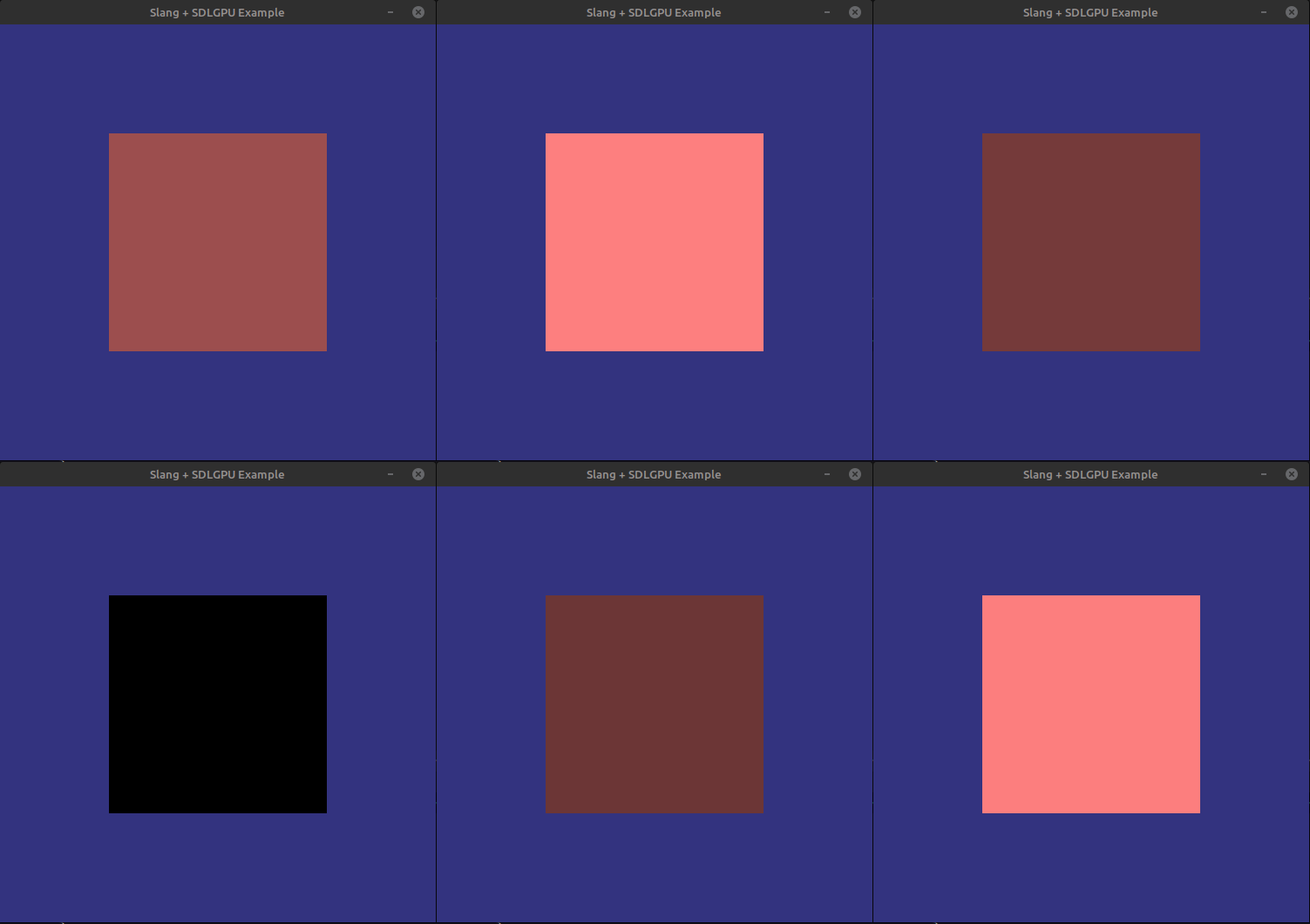
Note that we are using ParameterBlock in slang, I’ve tested also with ConstantBuffer and it also works. See
here for more information.
If the example is not showing the quad changing its color, try checking 1. that you have re-compiled everything, including the shaders, and 2. The data layout. Also, if you are working with DX12 or Metal, try checking the correct set for the uniform data in the SDL3 documentation.
Next steps
Now you can pass uniforms to your slang application, please read the next part here.